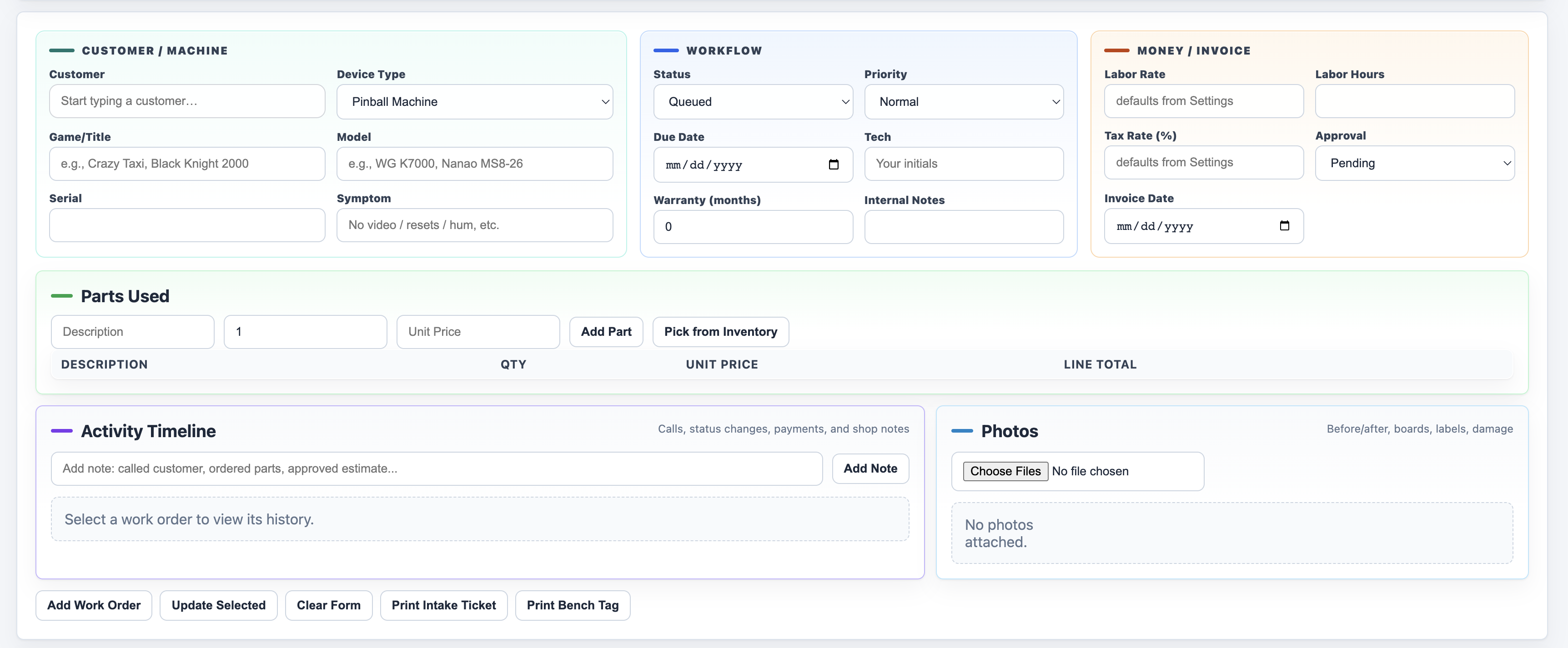
Work orders that follow the repair
Track customer approval, symptoms, status, priority, internal notes, photos, parts used, labor, payments, linked mileage, reusable trips, intake tickets, bench tags, and invoices.
 BenchBuddy
Arcade & pinball repair + route operations
Run arcade and pinball repair work plus route operations—from work orders, parts, invoices, and manuals to locations, game collections, mileage, and revenue—in one private desktop app.
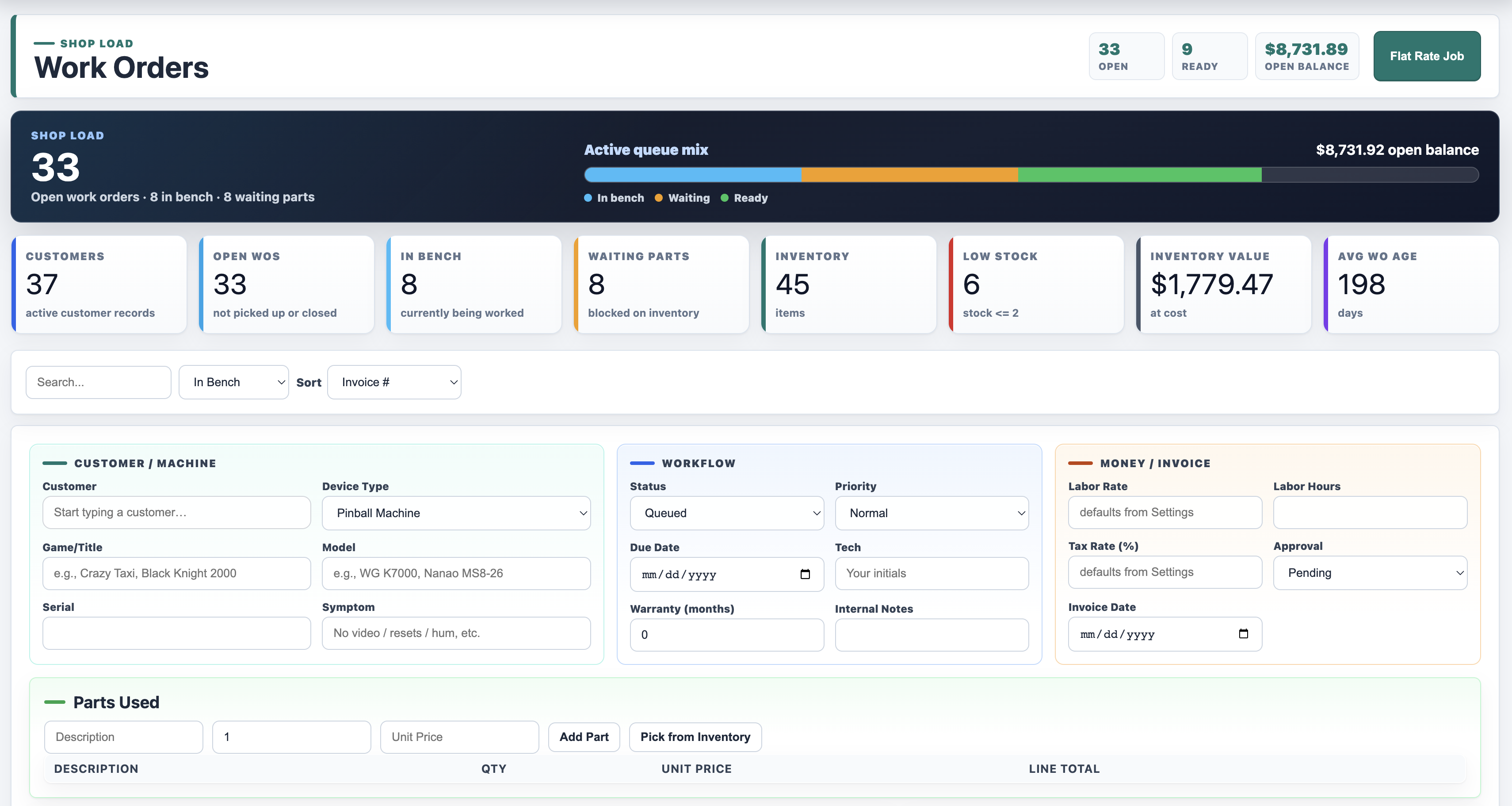
Product tour
BenchBuddy keeps the day-to-day repair shop work in one place, so you are not bouncing between spreadsheets, handwritten tickets, file folders, and memory.
Track customer approval, symptoms, status, priority, internal notes, photos, parts used, labor, payments, linked mileage, reusable trips, intake tickets, bench tags, and invoices.
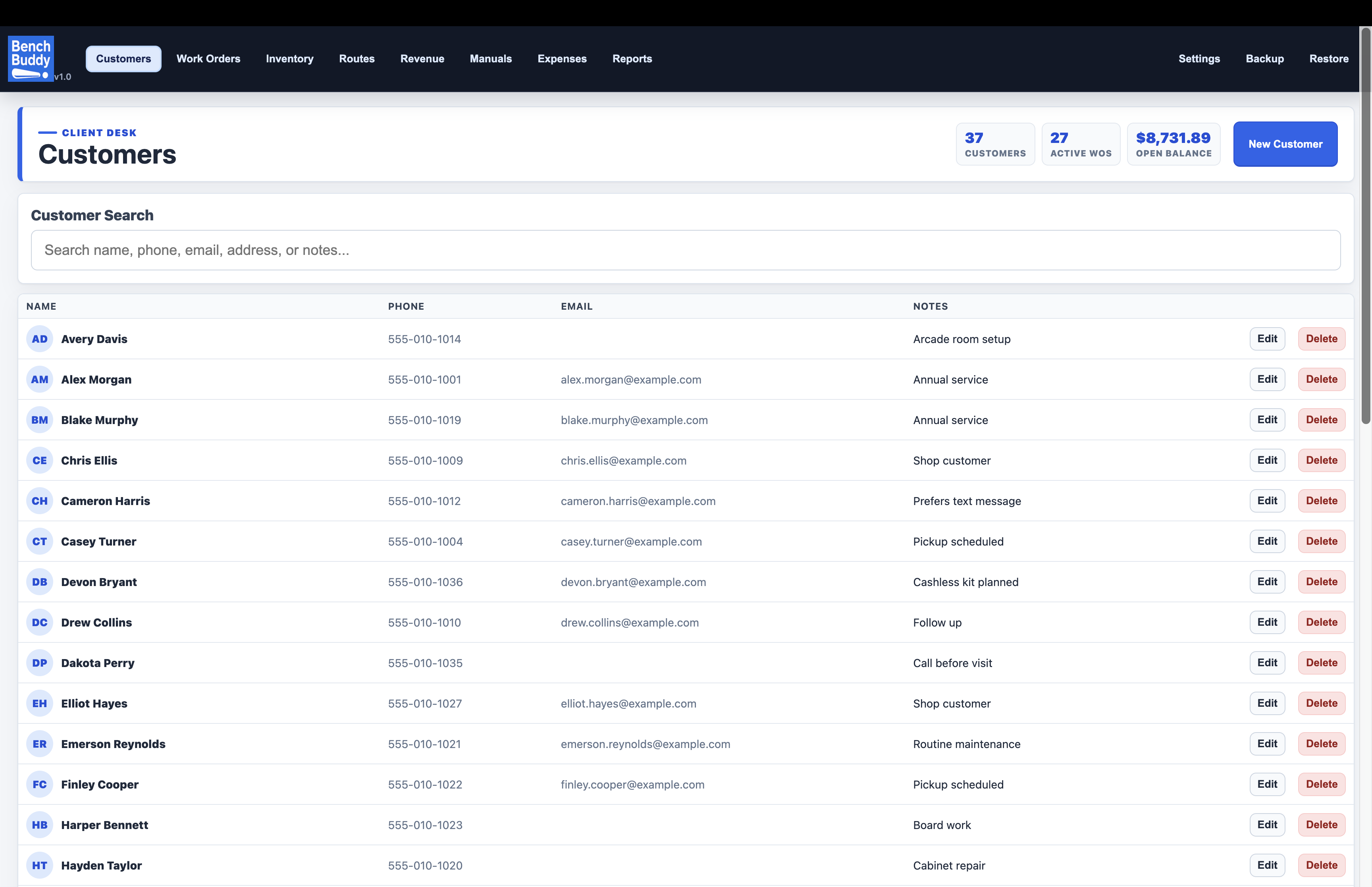
Search customer records, manage an ordered future-repair queue, see multi-month wait time and follow-up reminders, then convert an entry into a linked work order.
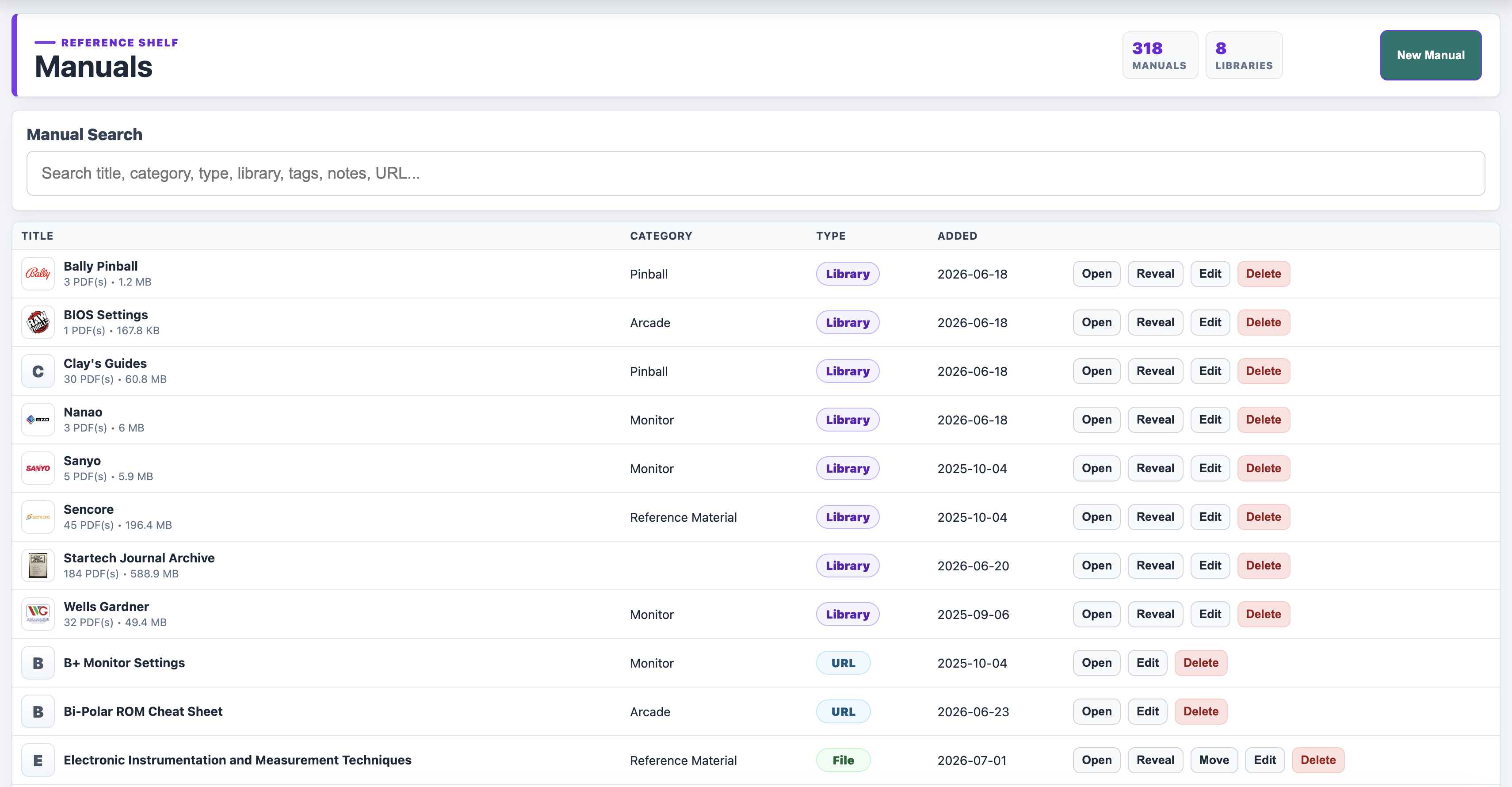
Open service PDFs, reveal local files, store web references, search libraries, and keep repair documentation close to the work order.
Shop workflow
Explore the current BenchBuddy workflow: customers, repairs, route locations, machines, business assets, expenses, mileage, and reports. Most screenshots use fictional demo records; the Manuals view shows an example library. Click any image to take a closer look.
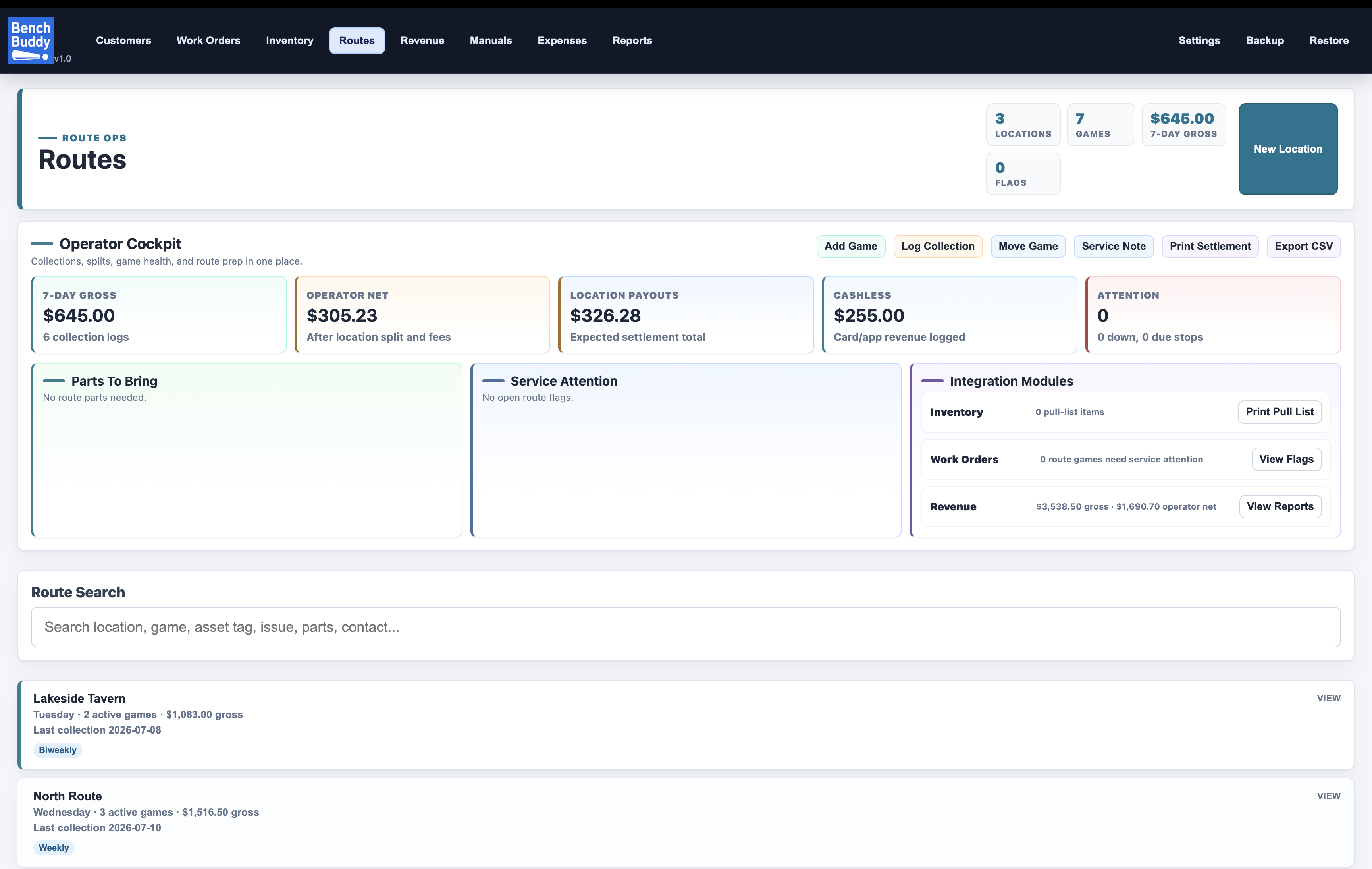
Import and preview CSV route data, track cash, cashless, and mobile collections, and manage equipment from each location. Keep warehouse machines ready for their next placement.
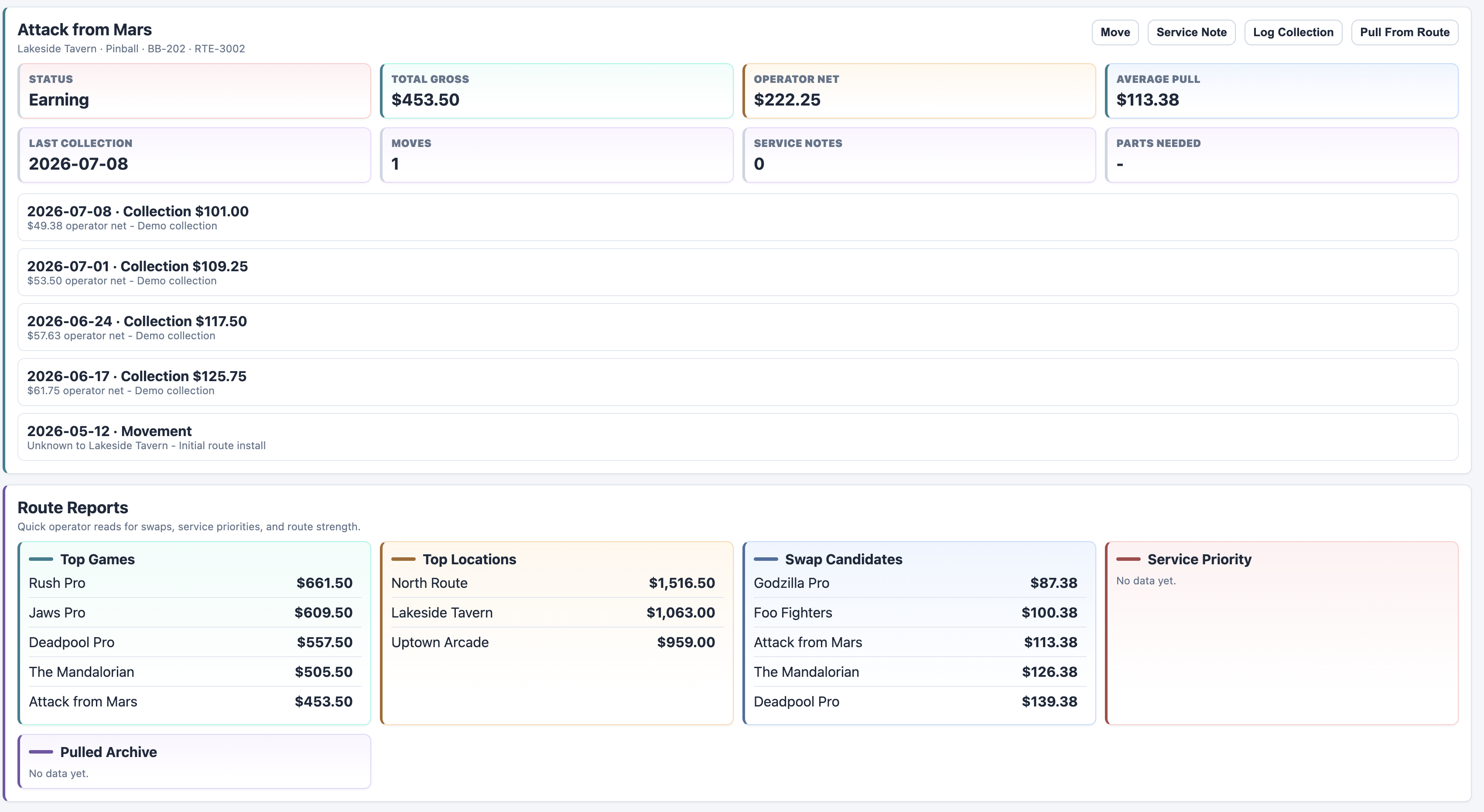
See movement, collection history, average pull, service notes, and operator splits for each routed game.
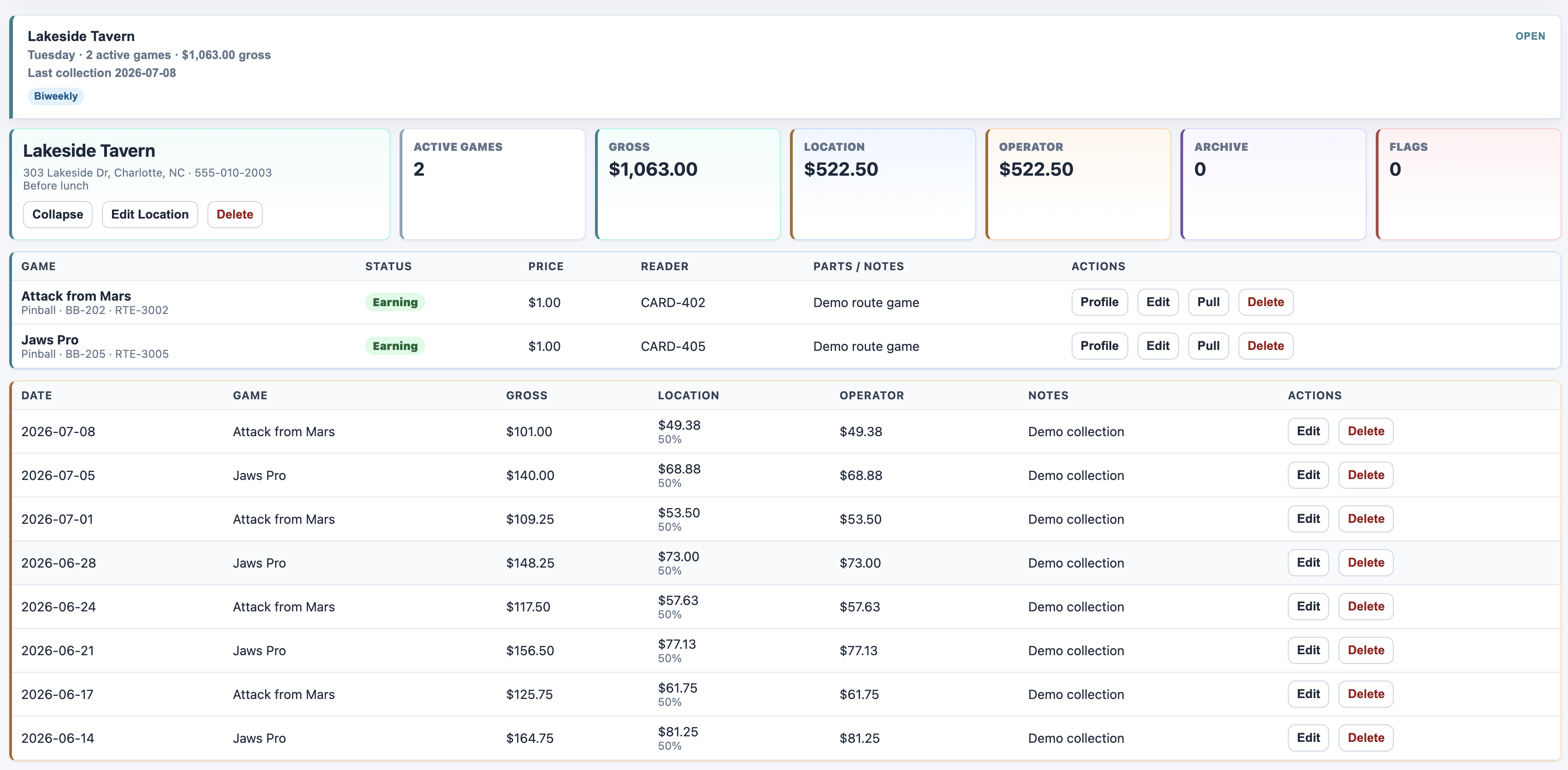
Keep addresses, contacts, access instructions, and multiline notes alongside each location’s machines, collections, and settlement tools.
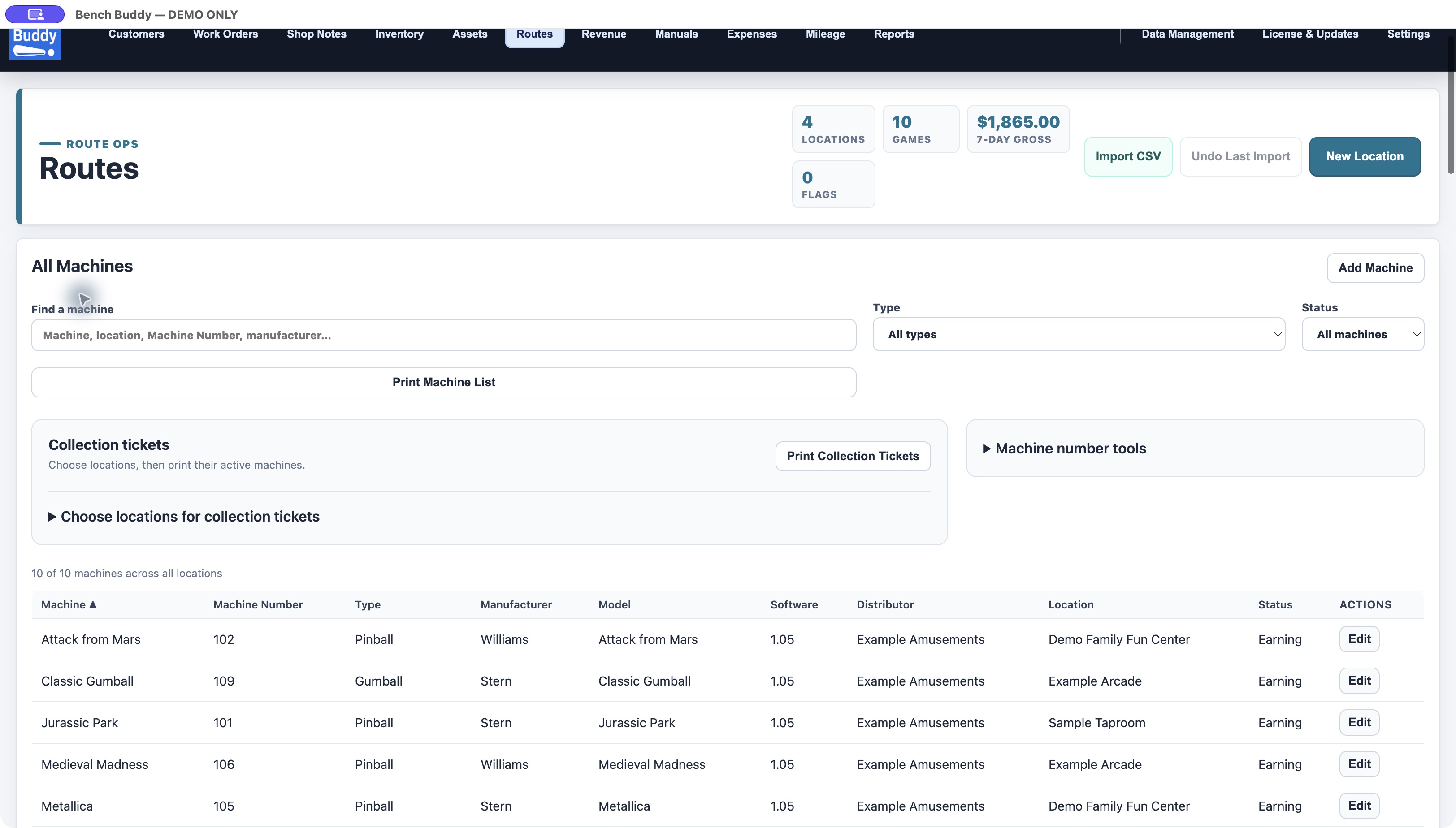
Search across locations, filter by machine type, sort by column, and print machine lists or collection tickets.
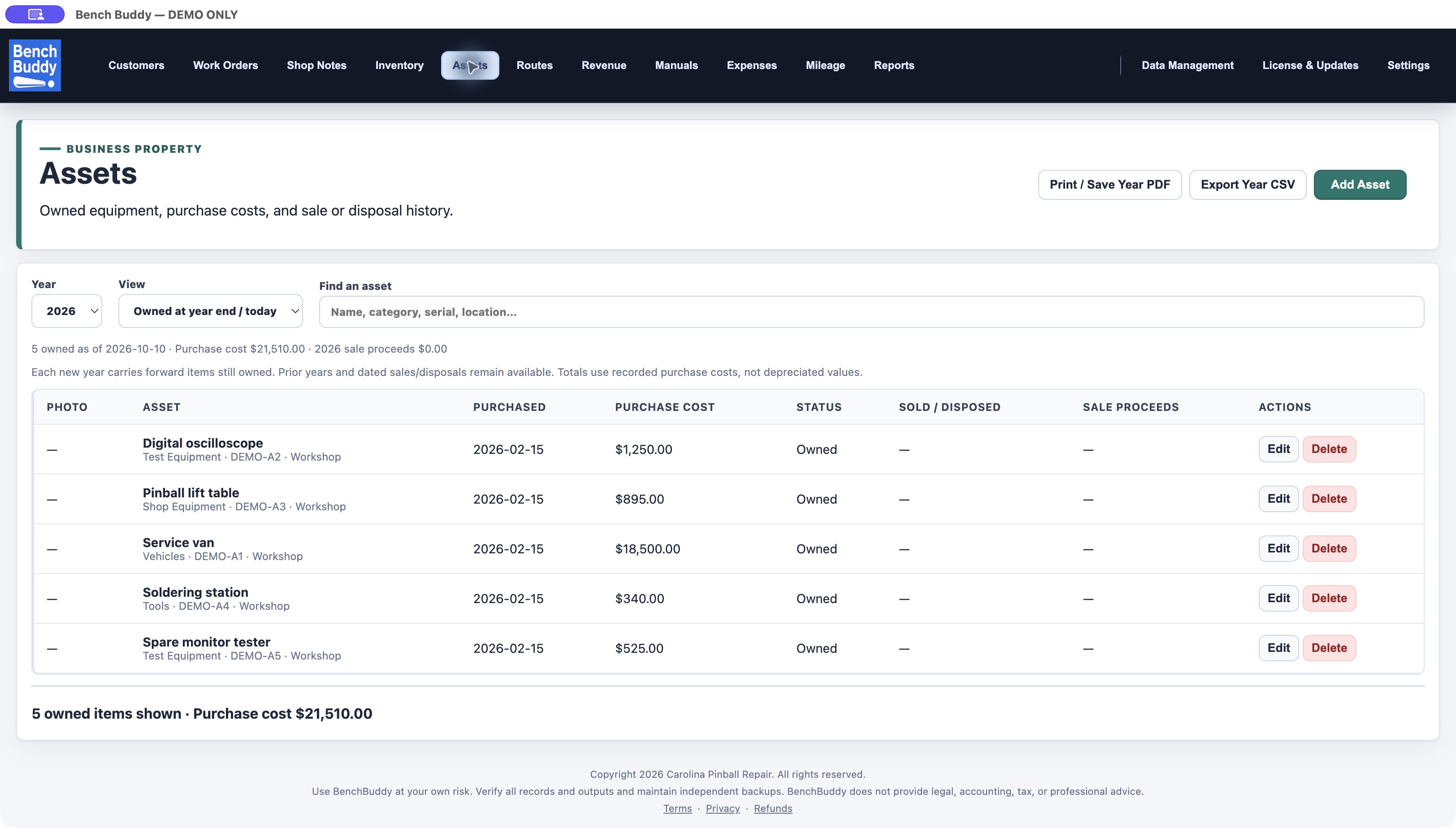
Keep shop property, purchase costs, photos, sales, and disposals organized with yearly CSV and printable reports.
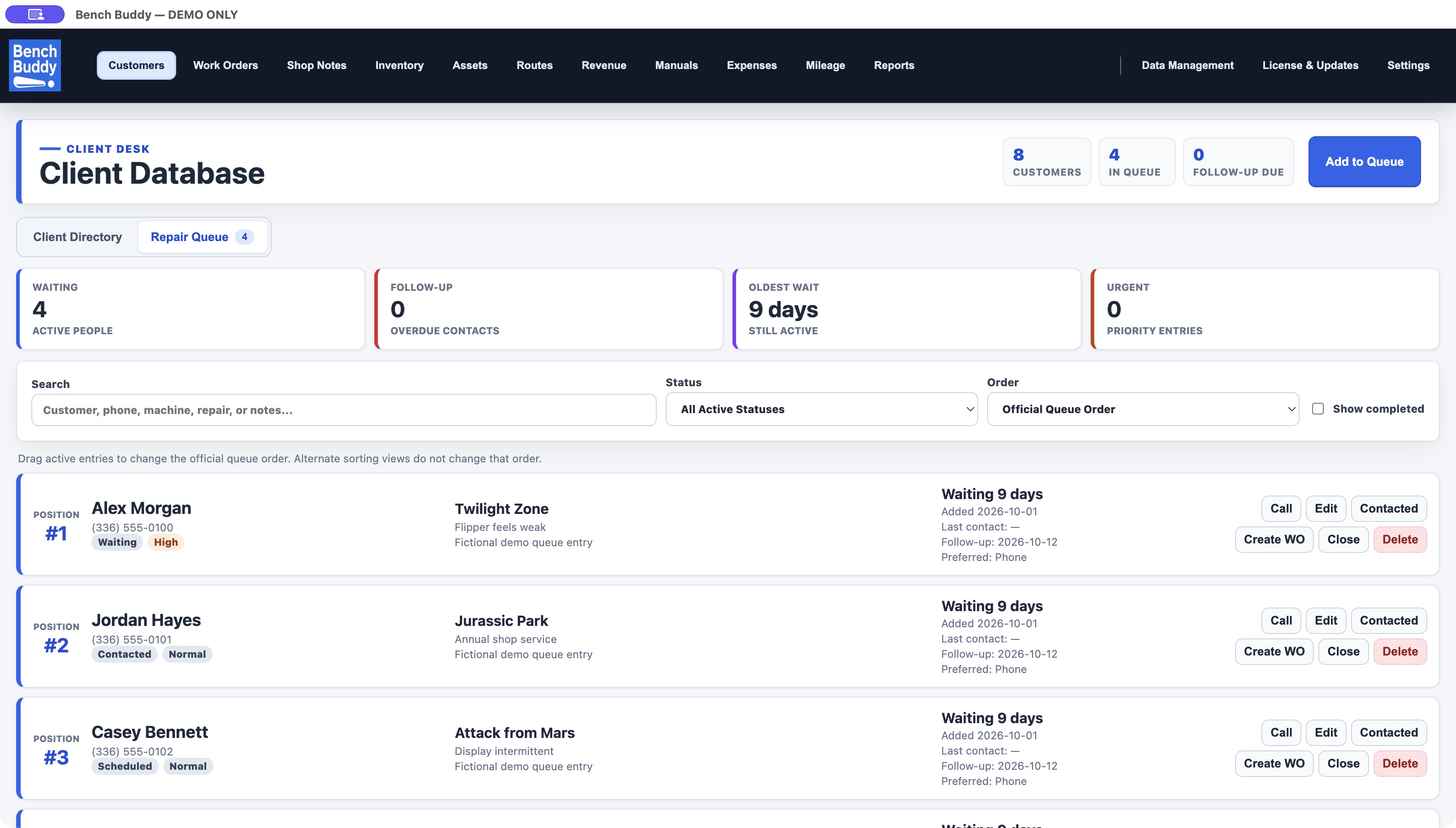
Track waiting repairs, contact customers, schedule follow-ups, and turn an approved repair into a work order.
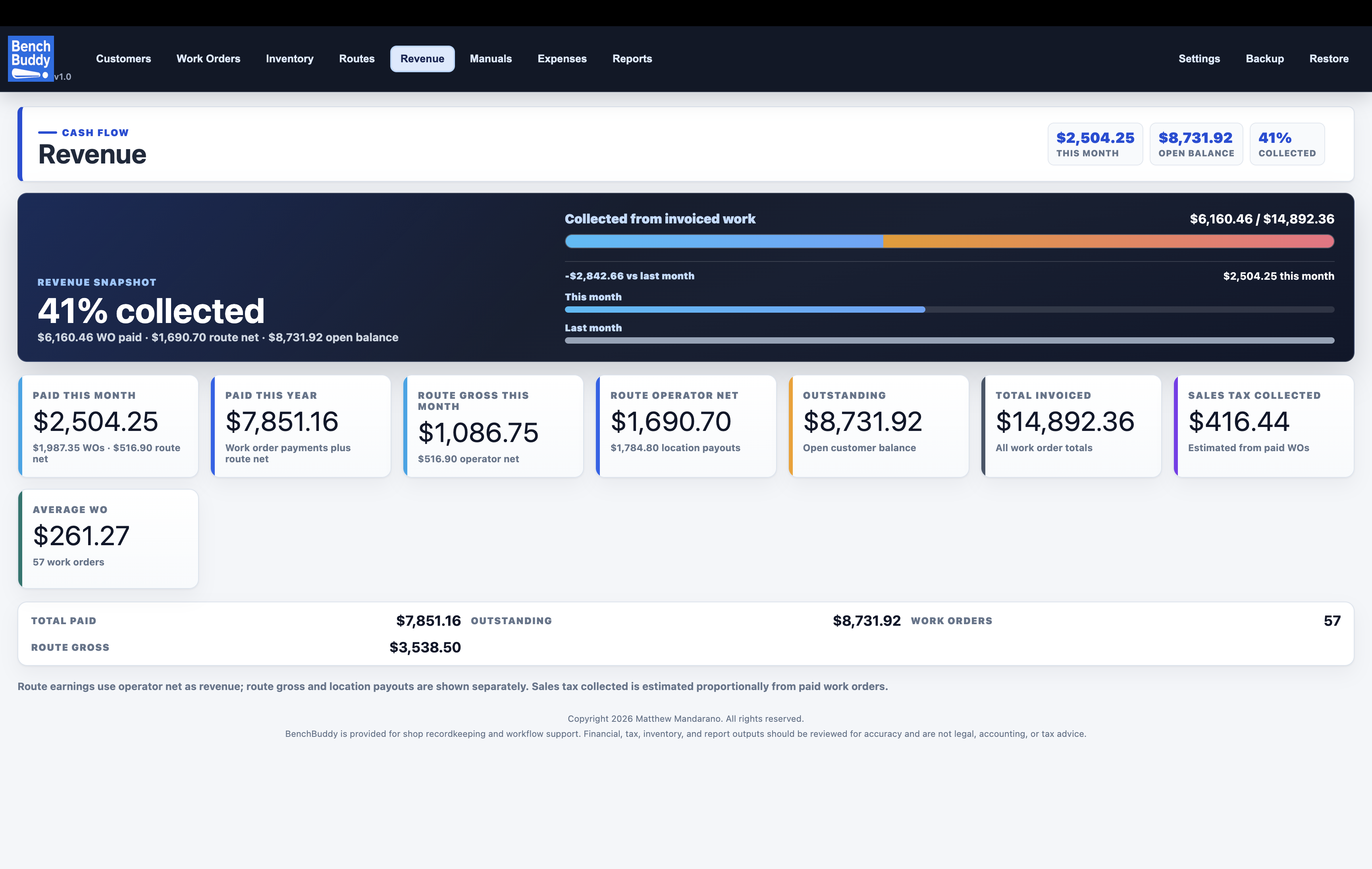
Review collected totals, open balances, invoiced work, sales tax estimates, route revenue, and average work order value.
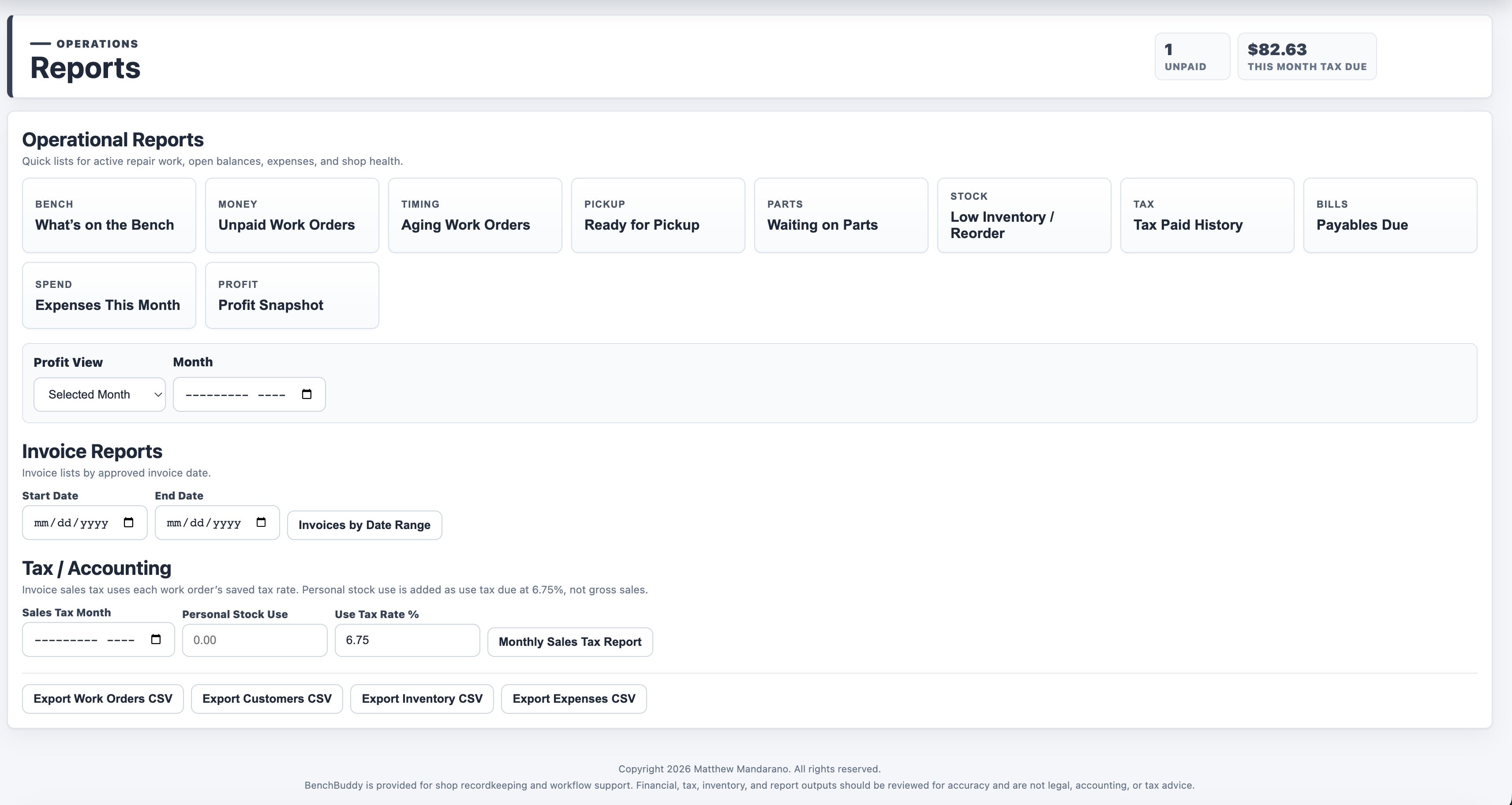
Choose grouped shop, money, inventory, and tax reports, then use one consistent period selector for this month, last month, year, or a custom range—including service profit with parts excluded.
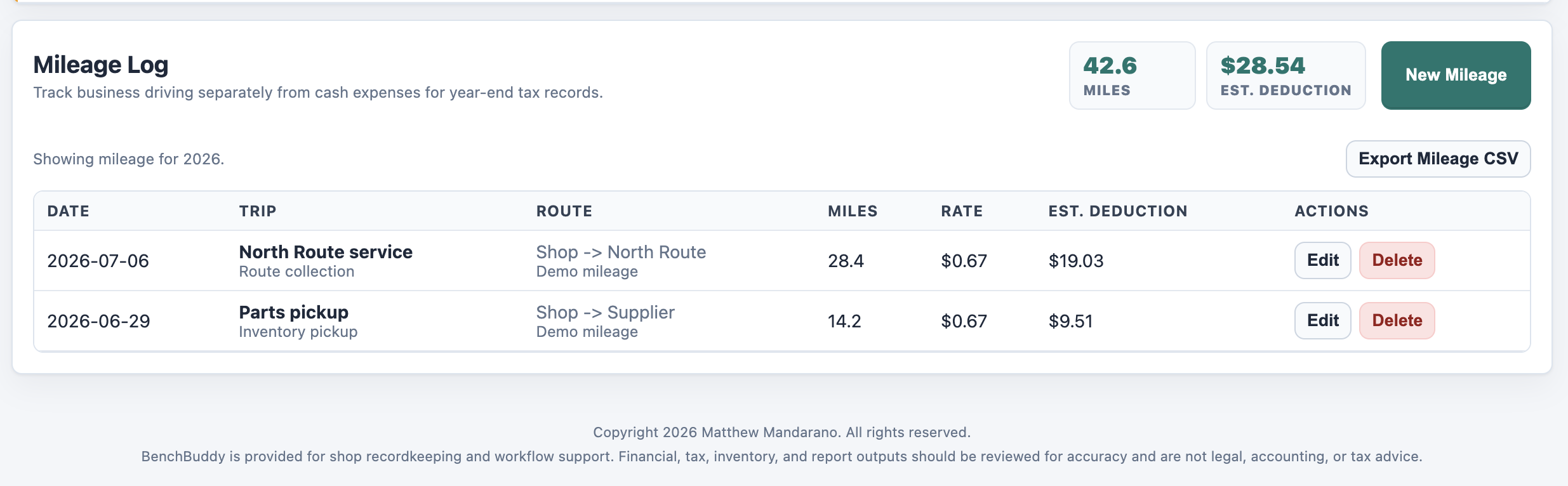
Log trips here or directly from a work order, reuse saved routes, preserve the work-order link, and export year-end mileage records.
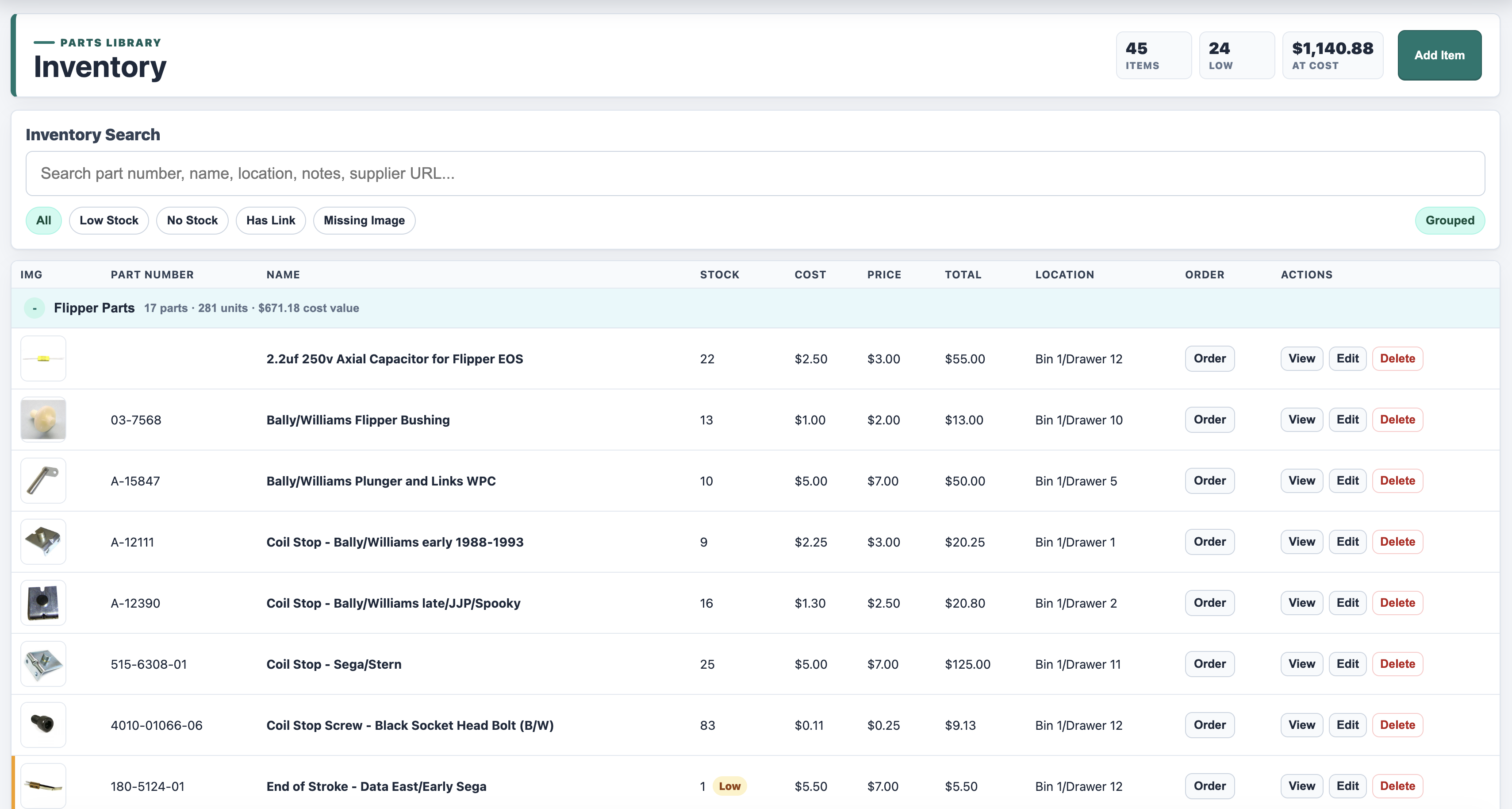
Search and group parts, track stock and cost, flag low inventory, save supplier links, and record where every item is stored.
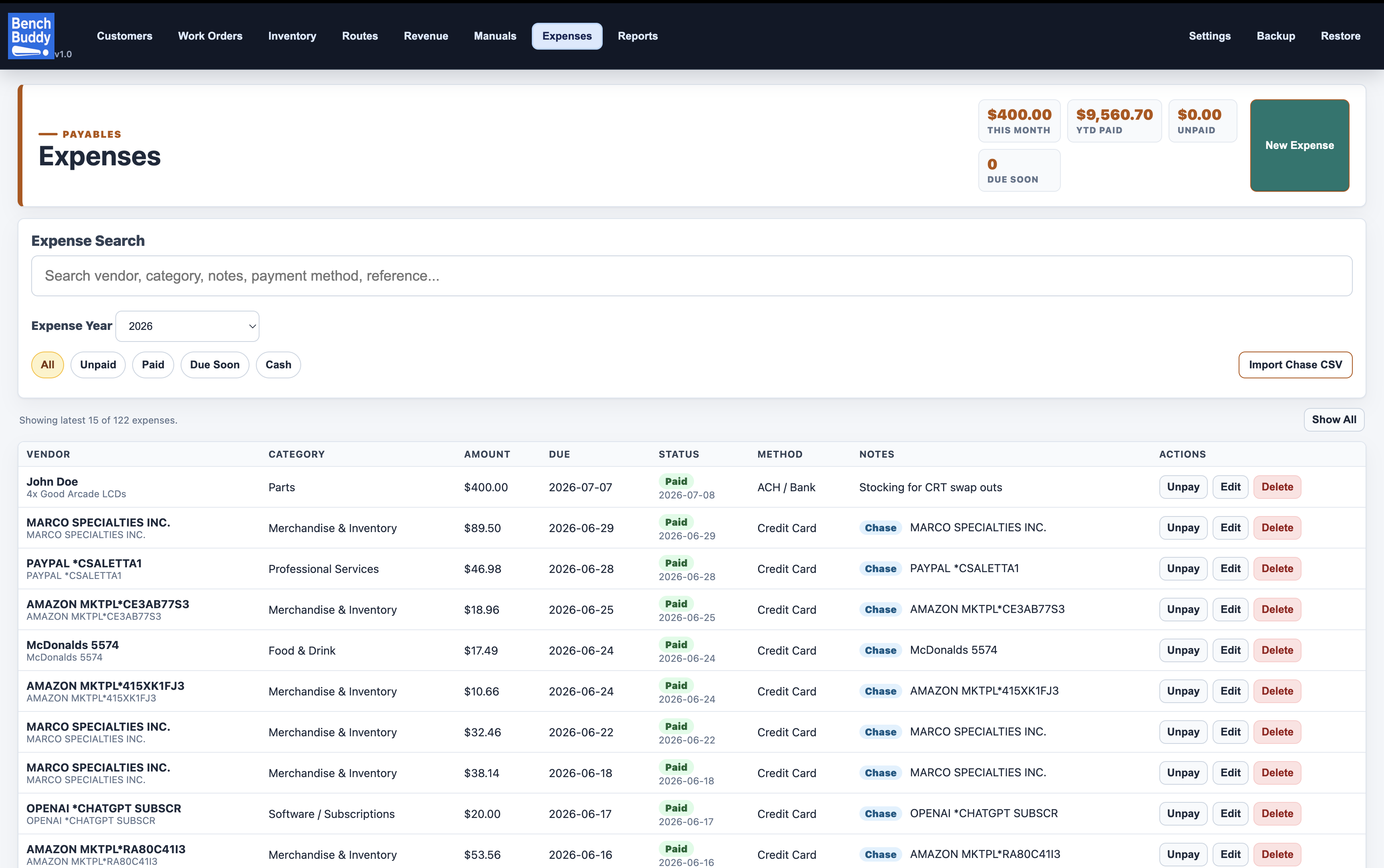
Track vendors, categories, due dates, payment status, and yearly spending, with filters and CSV import for faster bookkeeping.
What it does
Names, contact details, notes, search, work-order counts, and an integrated repair queue with aging, follow-ups, priorities, pictures, history, and work-order conversion.
Track symptoms, approval, priority, warranty, notes, photos, labor, parts, payments, and linked mileage. Record shipping costs and customer charges separately, and see jobs ready for pickup.
Capture repair tips, diagnostic clues, machine quirks, follow-ups, and parts to order with categories, tags, pictures, pins, search, and work-order links.
Print intake tickets, bench tags, and customer invoices with your shop information and invoice terms.
Record payments and review paid totals, outstanding balance, invoiced totals, sales tax, average work order value, collection rate, and service profit with parts excluded.
Use a grouped Report Center for bench work, aging, pickup, waiting parts, balances, payables, expenses, invoices, profit, shipping, tips, parts usage, low stock, and tax—by month, prior month, year, or custom range.
Keep purchase costs, serial numbers, locations, and up to three photos for shop property. Record sales and disposals, then export yearly ownership reports.
Search and filter machines across locations, sort by column, record model and software versions, and print machine lists or collection tickets. Track pinball, arcade, vending, gumball, and other equipment.
Enable optional local staff logins and choose view/print or edit access for each work area. Administrator-managed accounts stay on their own computer.
Export backups and data bundles, restore carefully, and sync through a shared folder like iCloud Drive, Dropbox, a NAS, or a local network share.
Local-first
BenchBuddy is a desktop app. Your shop data is stored locally on your computer, with backup and export tools built in. If you want to use more than one computer, BenchBuddy can work with a shared folder workflow you control.
Simple pricing
Annual desktop subscription for one active computer, with local data storage, license activation, and ongoing updates. Apple Silicon Mac, modern Intel Mac, and Windows 10/11 x64 are supported.
Plus applicable sales tax.
Applicable sales tax is calculated at checkout from the purchaser's location information.
Downloads
BenchBuddy 1.0.38 is available for Apple Silicon Mac, Intel Mac, and Windows 10/11 x64. Choose the installer that matches your computer.
Both Mac downloads are Developer ID signed and notarized; the Windows installer is digitally signed. Every platform includes a 14-day trial. A BenchBuddy Pro subscription is $99 per year, plus applicable sales tax, for one active computer. Intel Macs on older macOS releases—including High Sierra—and 32-bit Windows computers are not supported.
FAQ
No. BenchBuddy is a desktop app. Your work orders, customer records, inventory, expenses, and manuals are stored locally on your computer.
BenchBuddy Pro uses license activation. The app can keep working offline for a grace period and checks subscription status periodically.
BenchBuddy checks quietly after launch and periodically while it remains open. When an update is available, the app shows a notification and persistent badge; you choose when to download and when to restart and install, so active work is never interrupted.
No. $99 is the annual subscription price before tax. Where required, applicable sales tax is calculated at checkout using the purchaser's location information.
You can still view and export your data. Creating or changing records requires an active subscription.
Email m_mandarano@yahoo.com for support.